

Last Updated: 3 November 2026
Quick Summary
For CGM remote monitoring, choose a sensor that transmits in real time, alerts reliably and shares data with family or carers. The Sibionics GS3-R supports Bluetooth transmission to Android and iOS apps, customisable high and low alerts, and up to 14 days of wear per sensor.
- The three-sensor pack costs £120.00 and covers up to 42 days of monitoring, working out at £40 a sensor.
- Exempt the CGM app from battery optimisation, the most common reason alerts go silent.
- A short lag of a few minutes between sensor and follower screen is normal.
- The GS3-R sensor is 2.9mm thin with an IP38 rating for showers and short swims.
- Start with a single sensor if you are new to CGM or switching systems.
Table of Contents
- What Remote Monitoring Actually Requires From a CGM
- CGM Data Sharing With Family and Carers
- Real-Time Glucose Alerts That Actually Reach You
- Troubleshooting CGM Connection Problems
- CGM Data for Healthcare Professionals
- Sensor Size, Wear Time and Everyday Wear
- Access, Eligibility and Ongoing Cost
- Choosing Your Sibionics GS3-R Pack
- Frequently Asked Questions
What Remote Monitoring Actually Requires From a CGM
A continuous glucose monitor (CGM) is a wearable sensor that measures glucose in interstitial fluid just beneath the skin and sends readings to a phone app, usually every few minutes (the NHS). For CGM remote monitoring, the device must do three things well: transmit in real time, alert reliably, and share data with people who are not in the room. (Source: guidance from the Medicines and Healthcare products Regulatory Agency (MHRA))
That third requirement is where most buying decisions go wrong. A device can be accurate and comfortable and still be a poor choice for remote monitoring if its sharing features are thin.
We supply the Sibionics GS3-R at Air Liquide Healthcare, and we offer guidance to help families and carers set up sharing. Below, we break down what actually matters, where connections fail, and how to choose a pack that fits how you live.
Quick picks:
- Best overall for most households: Sibionics GS3-R single sensor, £48.00, for a first trial
- Best for ongoing use: Sibionics GS3-R three-sensor pack, £120.00, covering up to 42 days
- Best middle ground: Sibionics GS3-R two-sensor pack, £85.00
CGM Data Sharing With Family and Carers
CGM data sharing is the feature that lets a parent, partner or carer see your glucose readings on their own phone, in real time, without being beside you.
The practical setup is straightforward. The person wearing the sensor installs the app, pairs the sensor over Bluetooth, and then invites followers through the app's sharing function. Each follower installs the same app on their own phone and accepts the invitation.
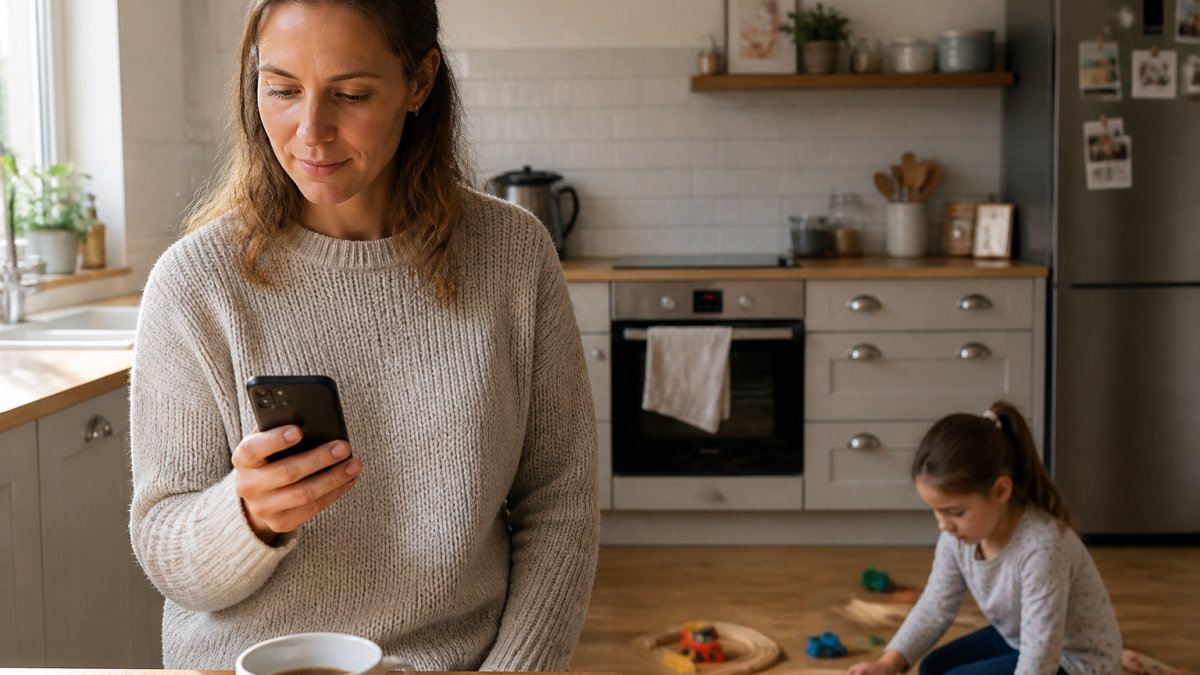
Diagram illustrating the process of sharing real-time glucose data from a child's sensor to a parent's smartphone.
How the use case changes what you need
The right sharing setup depends on who is watching and why. A few common patterns:
- Parents of young children. Overnight coverage is the priority. The parent who is not on duty needs low alerts that will wake them, and the parent on duty needs to be able to hand over without losing visibility. Set the low threshold together and agree who responds to a 3am alert.
- Partners of adults with type 1 diabetes. The wearer often wants independence during the day and backup overnight. A common arrangement is full sharing with alerts muted during working hours and unmuted from bedtime.
- Carers supporting someone who lives alone. The carer may be the only follower, so missed readings matter more. Check the follower's app daily rather than relying on alerts alone, because a silent phone can look identical to a stable glucose level.
- Teenagers and young adults. Sharing can feel like surveillance. Agree what the follower may comment on and what they may not, and review the arrangement at a set interval rather than leaving it open-ended.
Consent, control and revocation
The wearer decides who follows and can remove access at any time. That control is the foundation of a workable arrangement, and it is worth being explicit about it before anyone is invited.
- Invite deliberately. Share only with people who need the data, and use the app's follower list to review who currently has access at least monthly.
- Revoke cleanly. Removing a follower in the app stops new readings reaching their phone, but it does not recall data they have already seen or screenshots they have taken. Treat sharing as an ongoing relationship, not a one-off setting.
- Agree house rules up front. This matters most with teenagers, who may find constant visibility intrusive, and with extended family who mean well but may over-react to a single high reading.
Notification settings that do not burn people out
Followers usually choose which alerts they receive. A carer who gets every high alert at 3am will burn out within a week, and a burnt-out carer stops checking. Set thresholds together, and consider giving the follower a narrower alert set than the wearer, for example, low alerts only overnight and no high alerts unless glucose stays elevated for an extended period.
What most guides miss is the emotional side. Sharing readings changes family dynamics. A parent watching a child's numbers overnight may sleep better, or may check the app every twenty minutes. Set expectations before you invite anyone, and agree in advance what a follower should do when an alert fires, call, text, or wait.
Privacy and data access
Glucose data is sensitive health information. Before granting access, consider who else can see the follower's phone, whether the follower's account is secured with a passcode, and whether the wearer is comfortable with the data being visible on a device they do not control. Review follower lists periodically, and remove access when a caring arrangement ends, for example, when a child moves to university or a temporary carer finishes.
Real-Time Glucose Alerts That Actually Reach You
Real-time glucose alerts are threshold notifications that fire when your glucose rises above or falls below limits you set.
A common mistake is assuming alerts are on by default. They are not. You choose the high and low thresholds, and you choose whether they sound, vibrate or appear silently.
Discuss suitable low alert thresholds with your diabetes team, as the right level depends on your individual circumstances.
For detailed setup and troubleshooting steps, see our guide to reliable real-time glucose alerts, which walks through phone permissions, battery settings and alert testing.
Watch out: phone battery optimisation settings are the single most common reason alerts go silent. Many Android phones restrict background apps to save power, which can stop the app from waking you.
Troubleshooting CGM Connection Problems
Troubleshooting CGM connection problems starts with the signal chain: sensor to phone over Bluetooth, then phone to the internet for sharing. A break at either point stops remote monitoring, and the fix is different depending on where the break is.
Work through these in order:
- Check Bluetooth range. Bluetooth range is limited, and walls and bodies can weaken the link. Walls and bodies weaken it. Keep the phone in the same room overnight, and avoid leaving it in a pocket on the far side of a wall from the sensor.
- Confirm the app is running in the background. Closing the app stops data transfer on many phones. On Android, check that the app is not being swept up by battery optimisation; on iOS, check that background app refresh is enabled for the CGM app.
- Restart Bluetooth, then the phone. This clears most pairing glitches. If the sensor still does not reconnect, check the app's sensor status screen before assuming the sensor has failed.
- Check the follower's connection. If your own app shows readings but the carer's does not, the problem is the internet link, not the sensor. Ask the follower to check their own Wi-Fi or mobile data, and confirm they are signed in to the same account.
- Look for a data delay. A short lag of a few minutes between the sensor and the follower's screen is normal. A delay that grows over hours usually points to a background-app or connectivity problem rather than the sensor itself.
Watch out: phone battery optimisation settings are the single most common reason alerts go silent. Many Android phones restrict background apps to save power, which can stop the app from waking you. Exempt the CGM app from battery optimisation, and check the setting again after any phone update, because updates can reset it.
Platform differences worth knowing
Android and iOS handle background apps differently, and the same CGM app can behave differently on each. On Android, the battery optimisation and autostart settings are the usual culprits; on iOS, low power mode and background app refresh are the ones to check. If a household has one Android phone and one iPhone, expect to troubleshoot them separately rather than assuming a fix on one will work on the other.
When the problem is the sensor, not the phone
If readings stop entirely for an extended period, and the phone and app settings are correct, the sensor may have failed. Do a finger-prick blood glucose test if you think a reading is wrong or does not match how you feel, and follow the instructions for use. Do not rely on a sensor that has stopped transmitting to make treatment decisions.
Sibionics GS3-R Continuous Glucose Monitor (CGM) →
Setting realistic expectations for remote monitoring
CGM remote monitoring depends on the wearer's phone being charged, in range and connected to the internet. It is not a guaranteed alarm system. A phone that runs out of battery overnight, or a wearer who leaves it in another room, will break the chain regardless of how good the sensor is. Build a charging routine, for example, charging the phone in the same room where the wearer sleeps, and agree with followers what they should do if readings stop unexpectedly.
CGM Data for Healthcare Professionals
CGM data for healthcare professionals works best when it is exported as a report rather than screenshotted. Most CGM apps generate a standard summary covering time in range, average glucose and patterns across the wear period.
Bring that report to appointments. It shows your clinician far more than a single finger-prick reading, because it captures overnight trends and post-meal spikes that a spot check misses.
A few practical points:
- Ask what format your clinic prefers. Some diabetes teams have a preferred report style.
- Note the dates. A report covering two weeks tells a clearer story than a fragmented set of screenshots.
- Flag anything unusual. If you changed insulin doses or had illness during the period, say so, because it changes how the data should be read.
Remote monitoring does not replace clinical review. It gives your care team better information to work with. Decisions about treatment, including insulin adjustment, remain with your clinician.
Sensor Size, Wear Time and Everyday Wear
Sensor size and wear time decide whether a CGM fits your routine or becomes a daily irritation. The Sibionics GS3-R uses an ultra-thin sensor at 2.9mm and provides up to 14 days of continuous monitoring per sensor.
Comfort matters most for children and for anyone who sleeps restlessly, so the thinness of the sensor is worth considering.
Water resistance is the other everyday question. The GS3-R carries an IP38 rating, which covers showers and short swims. It is not designed for prolonged submersion, so treat it as suitable for a quick dip rather than a long session in the water.
Placement can affect readings as well as comfort. Follow the instructions for use on site selection, and rotate sites between sensors to let skin recover.
Access, Eligibility and Ongoing Cost
NHS access to CGM depends on your clinical circumstances, and eligibility criteria are set nationally and applied locally. We cannot tell you whether you personally qualify, and you should check with your diabetes team or GP.
Eligibility for CGM depends on clinical criteria, which differ between people with type 1 and type 2 diabetes. Our guide to whether the NHS covers continuous glucose monitors sets out how eligibility is assessed and what to ask your clinician.
If you are buying privately, budget per sensor rather than per month, because wear time varies. The GS3-R is £48.00 for a single sensor, £85.00 for two and £120.00 for three.
Pack |
Price |
Sensors |
Maximum wear |
Approximate cost per day |
|---|---|---|---|---|
Single |
£48.00 |
1 |
14 days |
£3.43 |
Two-pack |
£85.00 |
2 |
28 days |
£3.04 |
Three-pack |
£120.00 |
3 |
42 days |
£2.86 |
Cost per day assumes full wear time and does not include the cost of a reader or phone.
Choosing Your Sibionics GS3-R Pack
Choosing a pack comes down to how long you want to commit for.
Move to the three-sensor pack once you know the system works for you. The single-sensor product page has the full specification if you want to read the detail first.


Best for: families setting up remote monitoring who want a lower daily cost over six weeks. Skip if: you are still trialling CGM and not yet sure about the app or sensor comfort.
If you have a question about ordering, delivery or eligibility before you buy, you can contact our team directly.
Remote monitoring depends on the whole chain holding: a sensor that stays put, a phone that keeps the connection, and a sharing setup that the people watching actually understand.
Frequently Asked Questions
Can someone else see my CGM readings remotely?
Yes, provided the system supports CGM data sharing. A CGM such as the Sibionics GS3-R sends readings by Bluetooth to a paired phone, and the app can share those readings with people you choose. Anyone viewing them needs their own device, an internet connection and your permission. Sharing is deliberate rather than automatic, so you decide who follows your glucose levels and can withdraw access at any time. Check the app's follower settings before you rely on it for overnight alerts.
Do CGM readings update in real time?
Readings update automatically at short intervals rather than only when you scan, which is what separates real-time CGM from intermittently scanned flash monitoring. The Sibionics GS3-R transmits glucose data continuously over Bluetooth for up to 14 days per sensor. Expect a small delay between the glucose level in your blood and the reading from interstitial fluid, and confirm with a finger-prick test if a reading does not match how you feel.
What should I do if my CGM stops sharing data?
Work through the likely causes in order. Check Bluetooth is on and the phone is within range, confirm mobile data or Wi-Fi is available for the follower's device, and make sure the app is allowed to run in the background rather than being closed by battery saving. Restarting Bluetooth, then the app, then the phone resolves most drops. If a sensor has reached the end of its wear time, readings stop until you apply a new one.
Can healthcare professionals access CGM data remotely?
CGM data for healthcare professionals is usually shared through reports exported from the app or through a clinic's own review platform, rather than by giving a clinician live follower access. Ask your diabetes team which format they prefer at your next appointment. Exporting a report covering several days gives a clearer picture of glucose trends than a single reading, and it saves you manually screenshotting the app each time.
What features matter most when choosing a CGM for remote monitoring?
Prioritise reliable Bluetooth transmission, customisable high and low glucose alerts, and a sharing setup that works on the phones your family actually use. Check sensor wear time, because fewer changes mean fewer gaps in data, and confirm accuracy figures such as MARD. The Sibionics GS3-R offers up to 14 days of wear, a MARD of 8.7% and IP38 water resistance, which covers showers and short swims rather than sustained swimming.
